

 Language
 English
 Français
 Español
 Deutsch
How to Choose a Safe Gaming Chair for Kids: 2026 Safety and Ergonomics Guide
2026-10-01
Choosing a safe gaming chair for kids is not the same as buying an adult model and letting a younger user sit in it. Children have smaller frames, lighter body weight, and developing spines, so a chair that feels stable for a parent can wobble, slide, or push a young gamer into poor posture. The consequences range from minor bruises after a fall to longer-term back strain when the chair is used daily over weeks and months.
This guide breaks down the concrete safety criteria that parents and other buyers should verify before purchase: structural stability, mechanism reliability, material safety, and ergonomic fit. It also explains how to match a chair to a child's current body size so you can avoid guesswork.
Children react to games with fast, uncoordinated movements. They lean, bounce, reach, and spin in ways adults rarely do. A safe chair has to tolerate that behaviour without tipping, sliding, or pinching small fingers.
Safety-first rule: choose a chair sized for the child's current body, not one they can grow into. An oversized chair reduces foot support and increases tip-over risk.
What Makes a Gaming Chair Safe for Kids?
A safe children's gaming chair combines four factors: a stable foundation, a reliable height mechanism, body-appropriate dimensions, and skin-safe materials. Each factor addresses a different type of risk, and one missing element can undermine the rest.
Stable foundation. A five-point base spreads the child's weight evenly and resists tipping when the child leans sideways to reach a controller or turns quickly toward a screen. Narrow bases and lightweight frames are the main causes of tip-overs in children's rooms.
Reliable height adjustment. The gas lift and tilt mechanism must move smoothly without sudden drops. A child who cannot adjust the seat height safely will either sit too high with dangling feet or too low with knees raised and the spine curved.
Body-appropriate dimensions. Seat height range, seat depth, backrest height, and armrest position should match the child's measurements. Correct sizing keeps the feet planted, the knees open at a healthy angle, and the lower back supported.
Skin-safe materials. Upholstery and foam should be free from strong chemical odour and rough edges. Breathable materials also reduce sweating during longer sessions.
Independent testing. Reputable manufacturers test seating products against published furniture safety standards. When you evaluate a chair, ask whether it comes with test reports for stability, strength, and chemical emissions. Suppliers that serve export markets usually provide these documents on request.
| Checkpoint | Why it matters | How to verify |
|---|---|---|
| Five-point base | Prevents tip-overs when leaning | Wide metal or reinforced nylon base |
| Weight rating | Avoids frame overload | Rating with margin above the child's weight |
| Seat height range | Keeps feet flat on the floor | Lowest setting below the child's lower leg length |
| Rounded edges | Reduces injury risk | Run a hand over all edges and armrests |
| Caster locks | Stops unintended movement | Each caster can be locked on hard floors |
Children shift their weight quickly during gameplay, which raises the demand on the base and casters. A chair designed specifically for younger users is therefore a safer investment than an adult chair with the seat set low, because the frame, foam, and fabric have been tuned for a child's mass and behaviour.
Core Safety Features to Check Before Purchase
Not every junior gaming chair offers the same level of protection. The components below directly control how the chair behaves when a child sits, leans, climbs, or spins, so they deserve close attention before you decide.
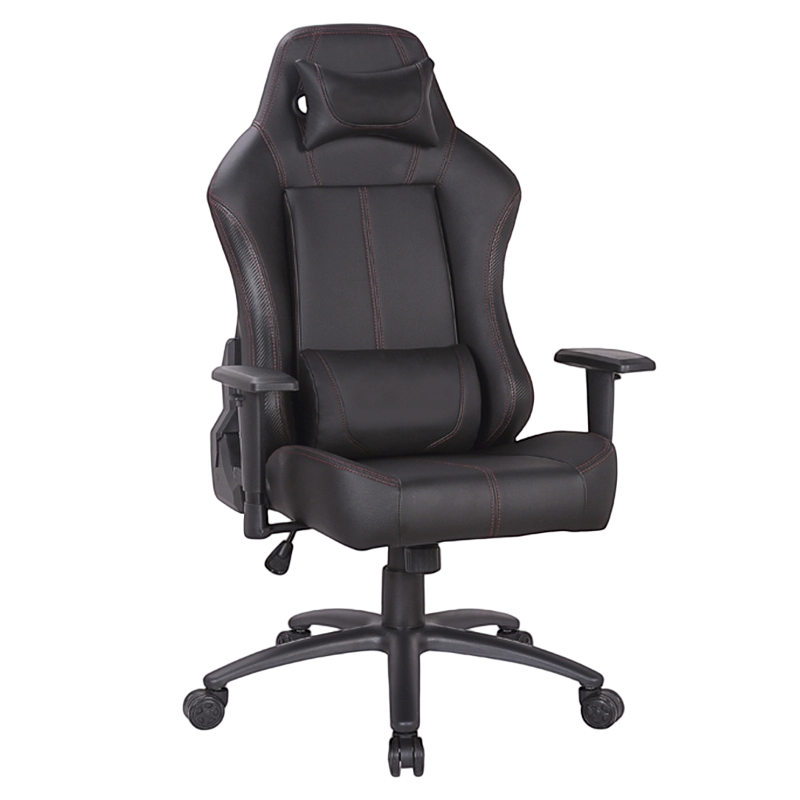
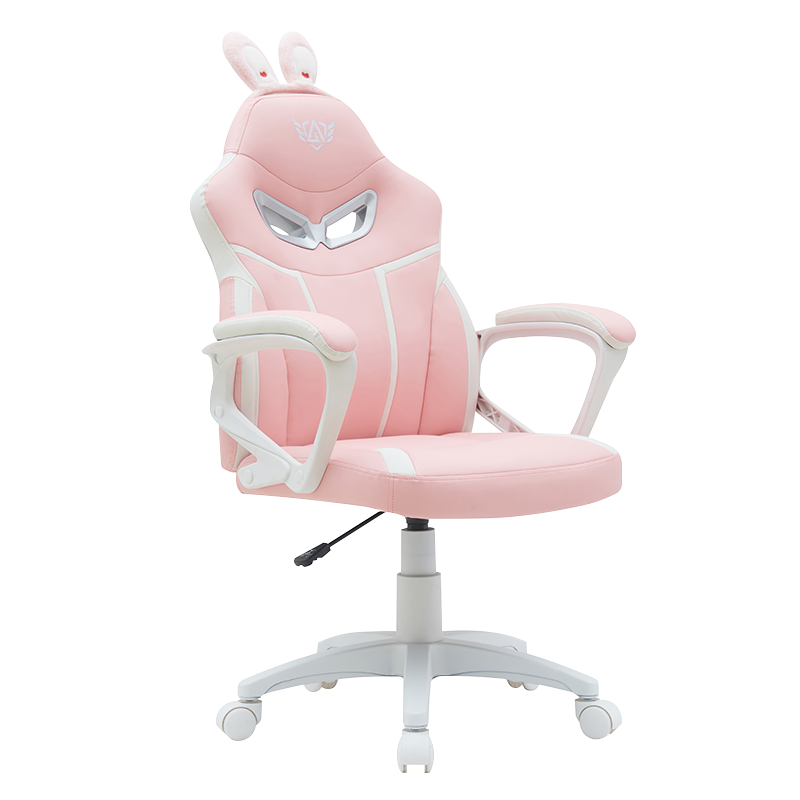 Rabbit Ear Kid Racing Gaming Seat with Adjustable HeightThis children's gaming chair features a sturdy steel frame and five-point base, offering stable support and easy height adjustment for young gamers.View Product →
Base and Casters
A five-point base is the minimum for a children's gaming chair. Four-point bases found on bargain models are noticeably easier to tip when a child leans to one side. Base material matters too: painted metal and reinforced nylon stay rigid, while soft plastic can flex under load. Check that the base has no sharp mold lines.
Casters play a bigger role than most parents expect. Free-rolling wheels let the chair drift during intense gaming moments, so models with locking casters or a lock switch are safer on hard floors and near desk edges. If the room has carpet, confirm that the caster type is compatible.
Gas Lift and Tilt Mechanism
The height-adjustment unit should be a certified gas lift designed for repeated pressure cycles. In practical terms, the seat should rise and lower smoothly, with no jerking or sudden drop. The tilt-lock function is equally important: it prevents the backrest from reclining suddenly when the child leans back. A locked recline position also keeps the spine in a stable posture during play.
Manufacturers that specialise in children's seating often build extra safeguards around these moving parts. Our detailed children's swivel chair safety article explains how the base, tilt limit, and casters work together as a triple safety design.
Armrests, Edges, and Pinch Points
Padded armrests with rounded corners are safer than hard plastic ones, especially for children who lean on one side while playing. Check the gap between the armrest and the seat base: small fingers can be pinched if the gap changes during adjustment. All plastic covers, screw caps, and metal brackets should sit flush, with no sharp protrusions or exposed fasteners.
Upholstery and Foam
Children sit closer to the fabric than adults often do, so upholstery should be non-toxic and easy to clean. High-density foam keeps the seat from flattening and prevents hard contact with the seat base plate. If the product releases a strong chemical smell at delivery, unbox it in a ventilated room and let it air out before the child uses it regularly.
Ergonomics: Matching the Chair to the Child's Body
Ergonomics is a safety topic because poor seating posture can produce neck strain, back discomfort, and restless sitting. The goal is straightforward: feet flat on the floor, knees bent near 90 degrees, the lower back in contact with the backrest, and arms relaxed on the armrests.
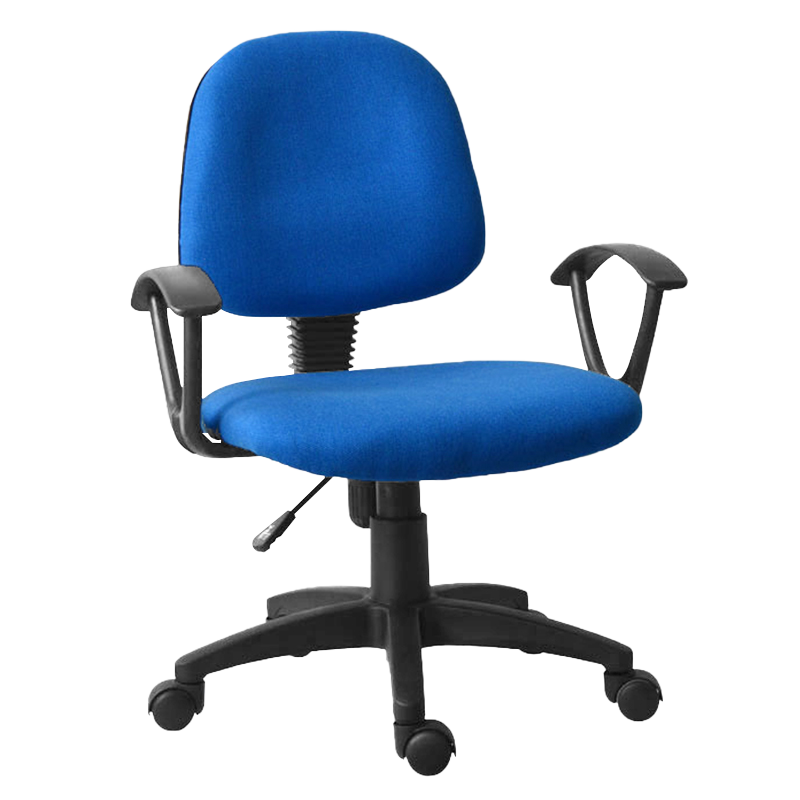
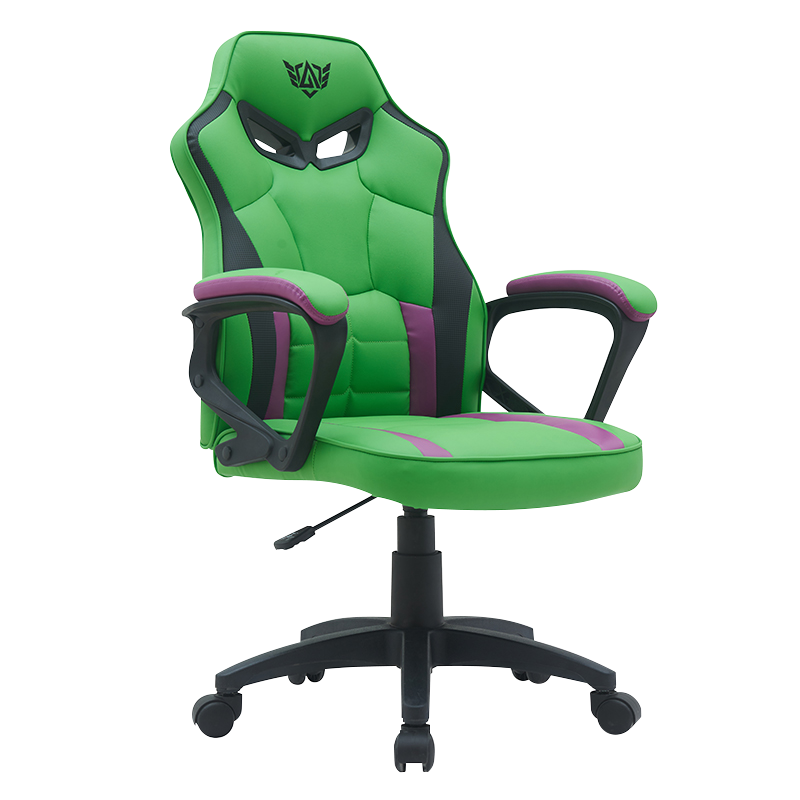 Mid-Back Swivel Gaming Chair with Padded ArmrestsThis adjustable mid-back chair provides ergonomic support and easy swivel movement, helping kids maintain proper posture during long gaming sessions.View Product →
Seat height. The lowest seat setting should allow both feet to rest fully on the floor. If the child cannot reach the floor even at the lowest setting, a footrest becomes a necessary accessory rather than an optional extra.
Seat depth. With the child's back against the backrest, there should be a small gap of about two to four centimeters between the back of the knees and the front edge of the seat. A seat that is too deep presses the calves and reduces circulation.
Backrest and lumbar support. The backrest should reach at least mid-back level. For young children, a repositionable lumbar pillow is more useful than a fixed curve designed for adult spines. Parents can also look for a kids gaming chair with adjustable lumbar support and a footrest to simplify the fitting process.
Armrests and headrest. Armrests should sit at elbow height when the child's shoulders are relaxed. A headrest is only helpful when the child's height allows the head to rest naturally without pushing the neck forward.
The same setup should carry over to homework and online lessons. Many children use the same chair for both schoolwork and gaming, so a consistent posture baseline reduces the chance of developing a habit of slouching.
Perform a quick fitting test whenever the child goes through a growth spurt: the back should stay in contact with the backrest, the feet should rest flat, the knees should stay near 90 degrees, and the arms should reach the armrests without shrugging. If any of these points fail, adjust the chair or add a footrest.
Materials and Build Quality: What to Look For
Material choices affect durability, comfort, cleaning effort, and long-term safety. The table below summarises the strengths and limitations of common upholstery types used in children's gaming chairs.
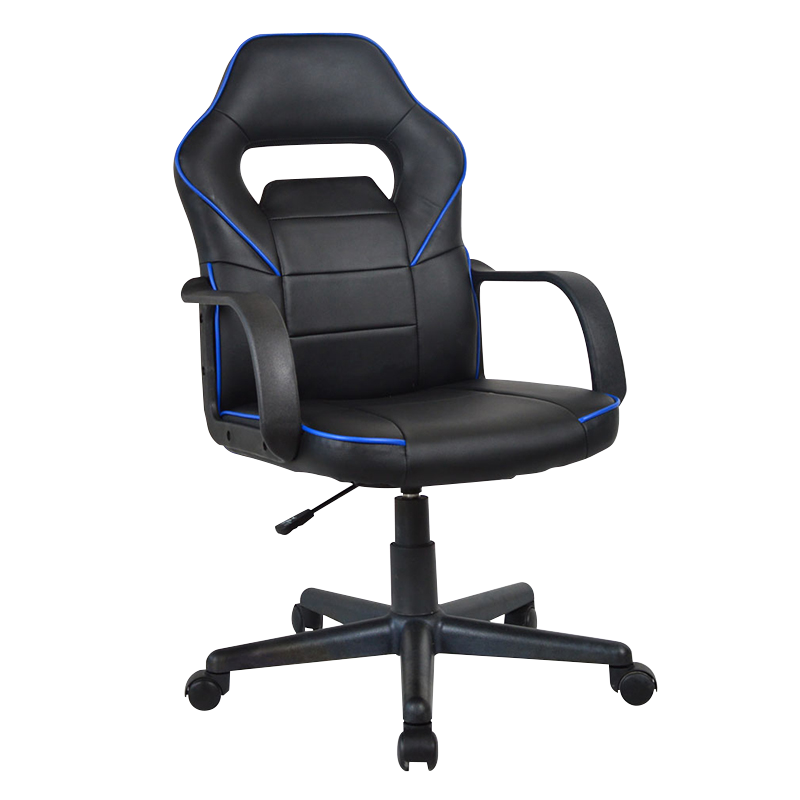 Adjustable Swivel Gaming Chair with PP ArmrestsThis versatile chair offers adjustable armrests and a 360-degree swivel, made from durable PP material that resists scratches and stains.View Product →
| Material | Strengths | Watch out for |
|---|---|---|
| PU leather | Easy to wipe clean, smooth feel | Less breathable in warm rooms |
| Mesh | Breathable, reduces sweating | Check frame tension and edge trim |
| Fabric | Soft and comfortable | Harder to clean; confirm removable cover |
| High-density foam | Keeps shape and support | Low-density foam flattens quickly |
Beyond upholstery, inspect the frame. A steel frame with welded joints is more durable than a frame that relies on plastic brackets in load-bearing positions. Screws and fasteners should be recessed, and all caps should stay firmly in place during normal use.
Off-gassing is a real but often overlooked issue. New furniture can release volatile compounds for several days after unboxing. A safe approach is to open the chair in a well-ventilated room and let it air out before the child uses it for long sessions.
Weight limits deserve the same attention as price. A limit below 70 kilograms often leaves little margin as the child grows, so choose a rating that comfortably exceeds the child's current weight. This prevents premature frame fatigue and keeps the chair stable over several years.
Cleaning is also part of safety. Wipe PU leather with a damp cloth, vacuum mesh regularly, and wash removable fabric covers according to the label. Regular cleaning prevents dust build-up that can irritate sensitive airways.
Safe Usage Habits for Young Gamers
A safe chair still requires safe usage habits. Children rarely notice their own posture, so adults need to set the chair correctly and check it periodically. The following habits reduce risk and prolong the chair's useful life.
- Adjust the seat height so the child's feet rest flat on the floor without pressure behind the knees.
- Add a footrest as soon as the child's legs cannot reach the floor.
- Encourage a short break every 20 to 30 minutes; standing and walking for two minutes resets posture.
- Engage caster locks when the chair is used near a desk, bed, or stair edge.
- Keep the floor around the chair clear of cables, toys, and bags.
- Check all screws, the gas lift, and the backrest lock once a month.
- Replace the chair when the child's knees no longer fit under the desk or when the seat depth leaves no knee gap.
Parent tip: place the monitor at the child's eye level so the head stays balanced over the shoulders. A correct chair cannot compensate for a screen that is too low or too close.
Red Flags to Avoid in a Kids Gaming Chair
Some listings look attractive online but hide safety problems. Watch for these warning signs:
- No stated weight limit, or a limit far below the child's current weight.
- A four-point base, or a base made of visibly thin plastic.
- Sharp edges, exposed screws, or rough seam stitching.
- A strong chemical smell that does not fade after unboxing and airing.
- Fixed armrests positioned too high for a child's sitting height.
- A tilt mechanism that reclines without a locking position.
- Oversized dimensions marketed as "grows with your child."
If a product shows several of these signs, the small saving is not worth the risk. A basic chair with the right safety fundamentals is better than a flashy model with weak construction.
Frequently Asked Questions
Q1: At what age can a child use a gaming chair?
Most children can use a purpose-built kids gaming chair from about six years old, provided the lowest seat setting still allows their feet to be supported. For younger children, a well-fitted chair with a footrest is better than a large chair that cannot be adjusted low enough.
Q2: How do I set the correct seat height for my child?
Have the child sit with their back against the backrest, then adjust the gas lift until both feet rest flat on the floor and the knees bend at roughly 90 degrees. If the lowest height is still too tall, use a footrest rather than accepting dangling feet.
Q3: Are mesh chairs safer than PU leather chairs for kids?
Both can be safe. Mesh is more breathable and reduces sweating, while quality PU leather is smooth and easy to clean. The deciding factors are the absence of strong chemical odour, smooth finished edges, and a frame that carries the child's weight reliably.
Q4: How long can a child safely sit in a gaming chair?
Static sitting is not recommended for long periods at any age. For children, a break every 20 to 30 minutes is a sensible rule even when the chair is comfortable. Short breaks keep blood flowing and reset spinal posture before the next session.
Q5: Does a child always need a footrest?
A footrest is needed whenever the child's feet cannot rest flat on the floor. Dangling feet increase pressure behind the knees and reduce stability. Recheck this requirement regularly, since a growth spurt can make a previously correct height wrong again.
Q6: When should I replace my child's gaming chair?
Replace the chair when the seat height cannot be raised enough for the child's legs, when the seat depth no longer leaves a knee gap, or when any wobble, cracking, or instability appears in the base or backrest. These signs mean the chair no longer provides a safe sitting environment.



-
EMAIL
jacky@guyoufurniture.com
-
mobile
+86-15705723262
-
address
Baishuiwan Industry Zone, Tianhuangping Town, Anji County, Huzhou City, Zhejiang Province, China
CONTACT FORM
Copyright 2024 Anji Guyou Furniture Co., Ltd. Rights Reserved. Wholesale Furniture Chairs Suppliers
