

 Language
 English
 Français
 Español
 Deutsch
Best Gaming Chair for Long Sessions: Tips to Avoid Fatigue and Back Pain
2026-02-19
Introduction
Gaming for extended periods can be exciting and immersive, but it can also physical discomfort, especially back pain, stiffness, and fatigue. Choosing the right gaming chair plays a crucial role in maintaining comfort and preventing these issues.
The Importance of a Good Gaming Chair
Spending long hours in front of the screen without proper support can various health issues, especially for gamers. Here’s why investing in a quality gaming chair matters:
- Posture Support: A well-designed gaming chair encourages proper alignment, reducing strain on your spine.
- Comfort for Extended Hours: Features such as ergonomic design and cushioned support help you remain comfortable during long gaming sessions.
- Adjustability: Customizable features allow you to tailor the chair to your needs, ensuring comfort.
- Durability: A high-quality chair is built to withstand hours of use without losing comfort or support.
Key Features of a Gaming Chair for Long Sessions
1. Ergonomic Design
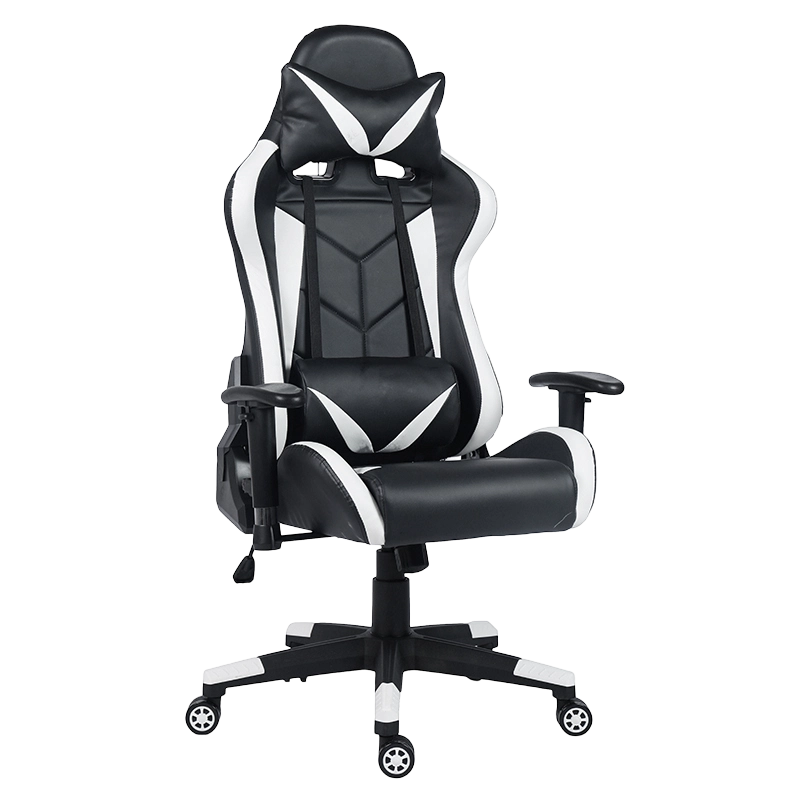
An ergonomic design is one of the important aspects of a gaming chair. It ensures your body is well-supported, reducing the risk of back pain and muscle fatigue. A well-padded backrest that supports your spine’s natural curve, coupled with adjustable lumbar support, promotes correct posture.
2. Seat Cushioning
The cushion’s material and thickness can significantly affect comfort. High-density foam or memory foam is ideal for long sessions, as it adapts to your body and provides even pressure distribution.
3. Armrests and Headrests
Adjustable armrests help reduce strain on your shoulders, while a headrest provides neck support. These features are essential for avoiding fatigue from prolonged use, especially during intense gaming sessions.
4. Recline Functionality
Being able to recline the chair allows you to adjust your position when taking breaks or shifting between gaming and relaxing. A reclining function can help relieve tension in the back and improve comfort during rest periods.
5. Build Quality and Material
The materials used for the frame and upholstery affect both comfort and durability. Leather and breathable mesh are popular choices, as they offer a balance between comfort, cooling, and longevity. A sturdy steel frame ensures the chair can withstand long-term use.
Tips to Avoid Fatigue and Back Pain During Long Gaming Sessions
1. Maintain Proper Posture
Good posture is key to preventing back pain. Make sure your back is fully supported, and your feet are flat on the floor. Keep your knees at a 90-degree angle to reduce stress on your spine.
2. Adjust Your Chair to Your Body
A chair that allows for adjustments in height, backrest tilt, and armrest position ensures you can set up your chair in the comfortable and ergonomic position. This can significantly reduce discomfort during long hours.
3. Take Regular Breaks
Even the gaming chairs can’t replace the need for regular breaks. Get up and stretch every 30 minutes to keep your muscles from stiffening. This helps prevent long-term pain and discomfort.
4. Use a Footrest
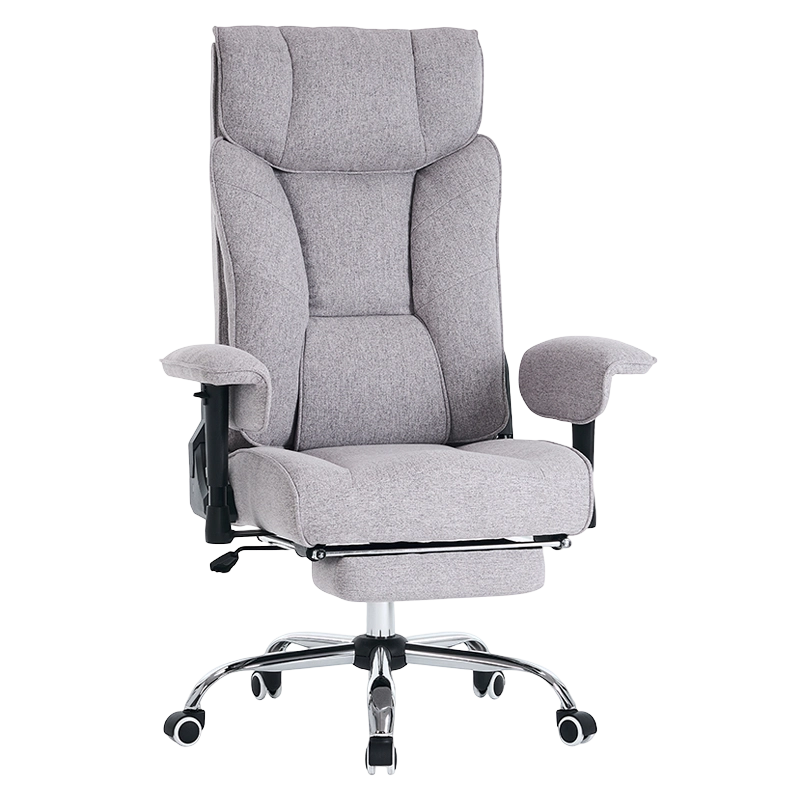
When your chair doesn’t allow your feet to touch the ground comfortably, consider using a footrest to support your legs. This can help improve circulation and reduce pressure on your lower back.
5. Hydrate and Stretch
Staying hydrated and performing gentle stretches during gaming sessions can help keep your body in good condition, preventing muscle fatigue and stiffness.
Factors to Consider Before Purchasing a Gaming Chair
Before investing in a gaming chair, it’s essential to evaluate these factors:
- Budget: Determine how much you are willing to spend. While higher-end models offer better features, there are also affordable options with good support and comfort.
- Size and Weight Capacity: Choose a chair that suits your body type. A chair that can handle your weight ensures durability and support.
- Adjustability: The more adjustable the chair, the better it will suit your personal preferences and provide long-term comfort.
Key Benefits of a Good Gaming Chair
| Feature | Benefit |
|---|---|
| Ergonomic Backrest | Supports proper spine alignment and reduces back pain |
| Memory Foam Cushioning | Enhances comfort and minimizes pressure points |
| Adjustable Armrests | Reduces shoulder strain and improves posture |
| Recline Function | Relieves tension and supports relaxation |
| Durable Frame | Offers long-lasting support for heavy use |
How to Adjust Your Gaming Chair for Maximum Comfort
To get the out of your gaming chair, follow these adjustment tips:
Seat Height: Ensure your feet are flat on the floor with your thighs parallel to the ground.
Armrest Position: Adjust the armrests to keep your shoulders relaxed. Your elbows should form a 90-degree angle when resting on the armrests.
Lumbar Support: Position the lumbar support to fit the curve of your lower back, reducing strain.
Backrest Angle: Reclining the backrest slightly can relieve pressure on your spine and provide more comfort.
Headrest Height: The headrest should support your neck and prevent any strain while leaning back.
Conclusion
Choosing the gaming chair for long sessions can significantly improve your gaming experience by preventing fatigue and back pain. Consider the features such as ergonomic design, cushioning, and adjustability to find a chair that suits your needs. Regular breaks and proper posture are also crucial for maintaining comfort during extended gameplay.
FAQ
1. What makes a gaming chair more comfortable for long sessions?
Comfortable gaming chairs feature ergonomic backrests, high-density foam cushions, and adjustable armrests and headrests to support proper posture.
2. How can I prevent back pain while gaming?
Maintain good posture, adjust your chair to fit your body, and take regular breaks to stretch and change positions.
3. Can I use a gaming chair for office work?
Yes, gaming chairs are designed for long hours of sitting, making them a great choice for both gaming and office tasks.
4. Are more expensive gaming chairs worth the investment?
Higher-end chairs often offer better adjustability, durability, and comfort, which can be worth the investment for long-term use.
5. How often should I take breaks when gaming?
It’s recommended to take a break every 30 minutes to stretch and relax your muscles, preventing stiffness and fatigue.



-
EMAIL
jacky@guyoufurniture.com
-
mobile
+86-15705723262
-
address
Baishuiwan Industry Zone, Tianhuangping Town, Anji County, Huzhou City, Zhejiang Province, China
CONTACT FORM
Copyright 2024 Anji Guyou Furniture Co., Ltd. Rights Reserved. Wholesale Furniture Chairs Suppliers
